
View raw response headers, get an instant A+ to F security grade, and receive actionable fixes for missing security headers.
Every website sends hidden data with each response – HTTP response headers. They control security, caching, redirects, and much more. Most site owners never check them, but missing or misconfigured headers can expose your site to attacks and hurt search rankings.
This free HTTP headers checker scans any URL using a real browser‑like request and follows redirects, so you see exactly what headers a real visitor would receive. You get a full security analysis, a grade from A+ to F, and clear, actionable recommendations.
No login or signup required, and its free to use.
Check Any Website's Response Headers Instantly
Enter a URL below to view all HTTP response headers and get a full security analysis with grade and recommendations.
What This Tool Does
The HTTP Headers Checker fetches the real response from any URL and displays every header your server returns – after following redirects, so the results always reflect the final destination. It analyses six critical OWASP‑recommended security headers (plus one informational header) and scores your site.
You see the full picture in one scan: raw headers, security grade (A+ to F), response time, status code, redirect‑aware final URL, and fix recommendations – all on one page.
Key Features
- Checks all HTTP response headers returned by any URL, following redirects.
- Analyses six critical security headers: HSTS, CSP, X‑Content‑Type‑Options, X‑Frame‑Options, Referrer‑Policy, and Permissions‑Policy (X‑XSS‑Protection is shown for awareness only).
- Provides a security grade from A+ to F : A+ requires all headers, HTTPS, and a strict CSP.
- Shows which headers are present and which are missing, with importance indicators (high/medium).
- Gives specific, copy‑paste recommendations for each missing header.
- Displays HTTP status code with colour‑coded indicators.
- Measures server response time in milliseconds.
- Shows the final URL after all redirects, so you never analyse the wrong page.
- Completely free, no account or signup required.
How to Use the HTTP Headers Checker
Step 1.
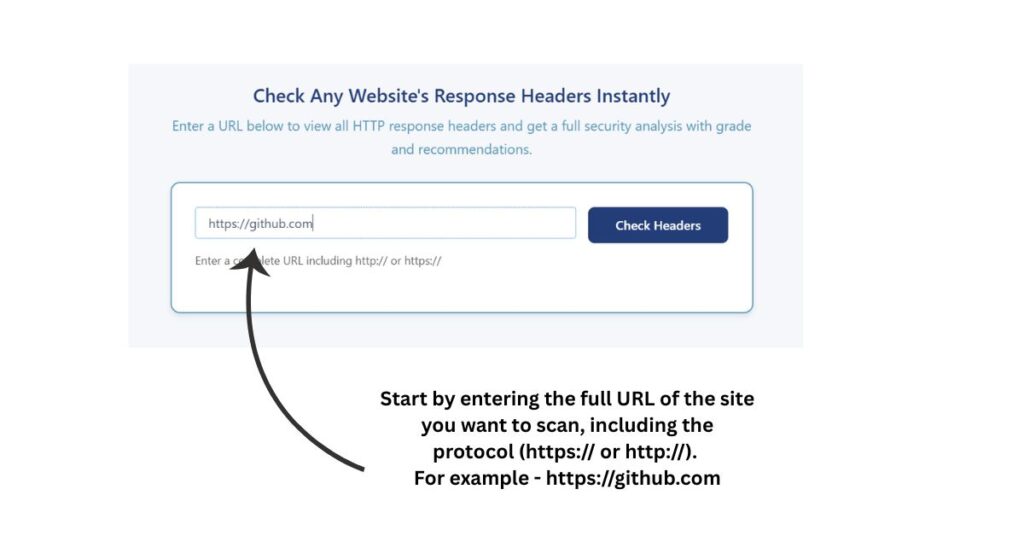
Enter the full URL of the website you want to check. Include the protocol such as https:// or http://.
Step 2.
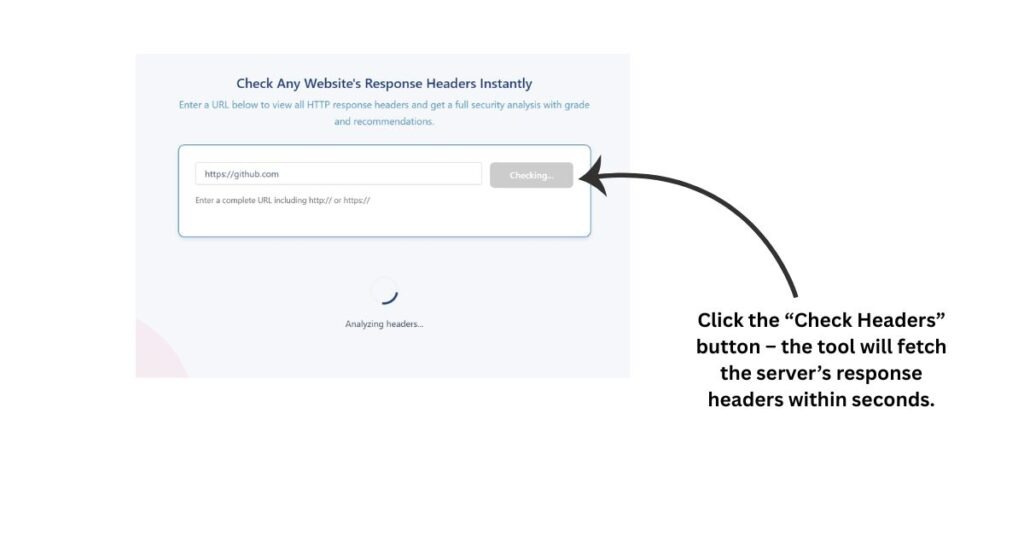
Click the Check Headers button. The tool connects to the server and retrieves the response headers – this usually takes a few seconds.
Step 3.
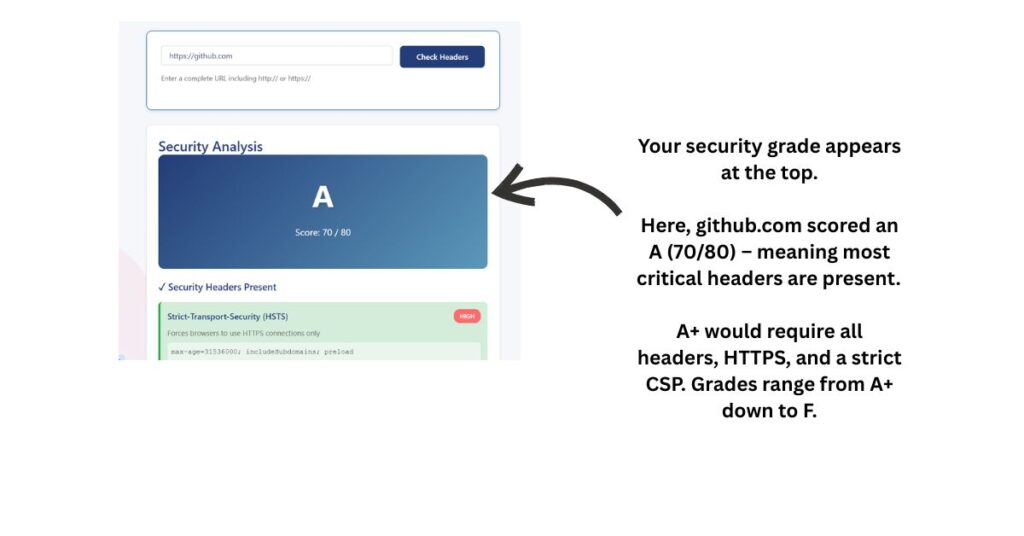
Review your security grade at the top of the results. A higher grade means more security headers are in place.
Step 4.
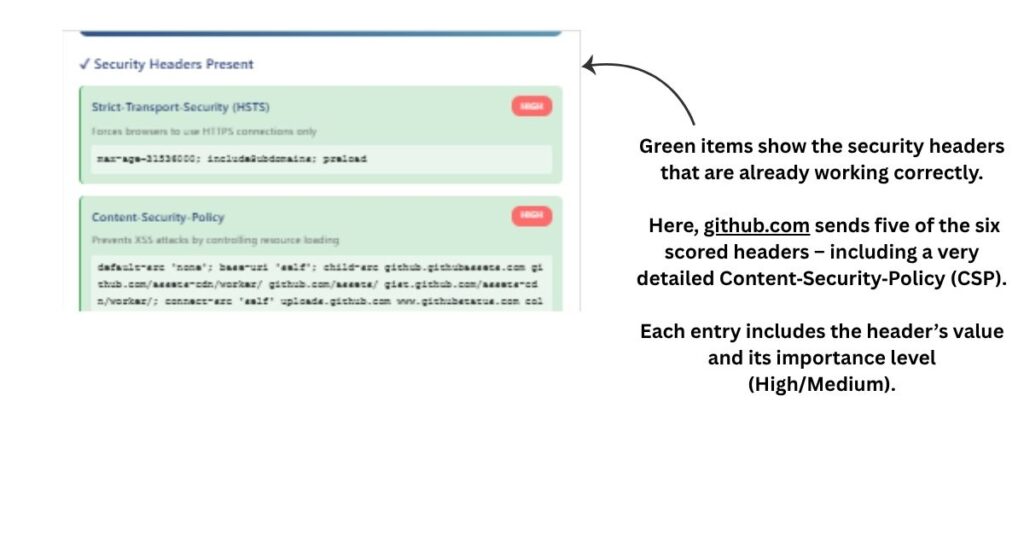
Check the “Security Headers Present” section – these are shown in green and are already working for your site.
Step 5.
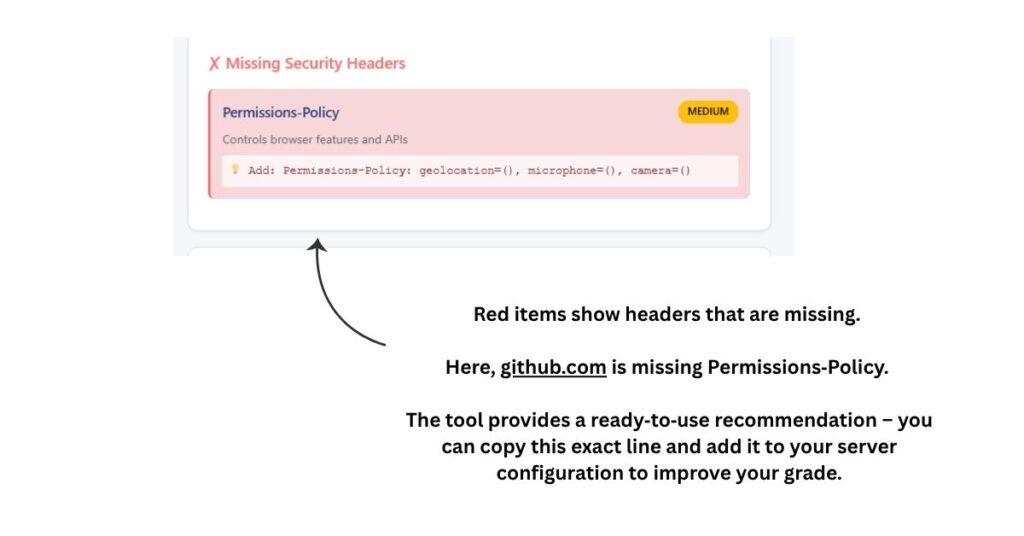
Check the “Missing Security Headers” section – these appear in red. Each one includes a recommendation showing exactly what to add to your server.
Step 6.
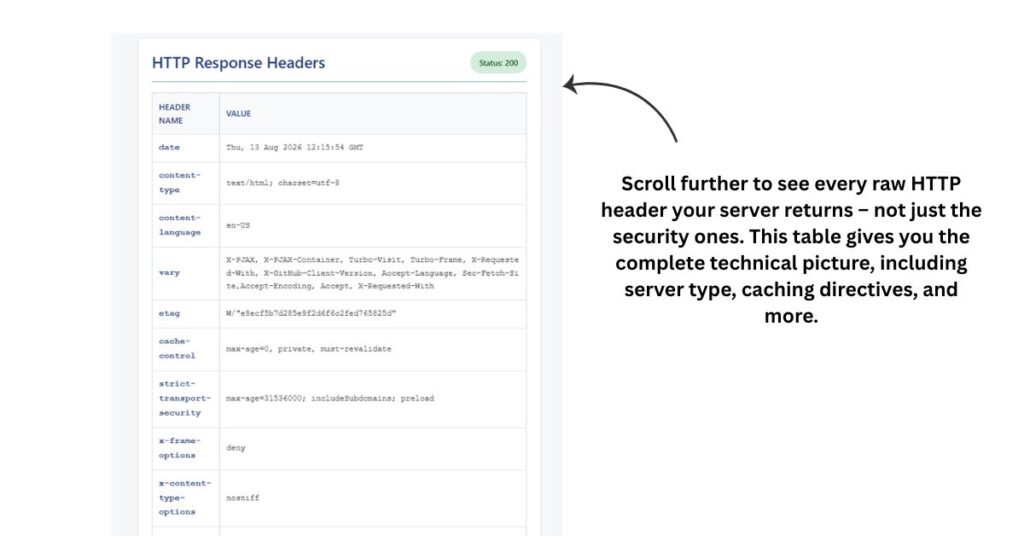
Scroll down to see all raw HTTP headers in a table. This shows every header your server returns, not just the security‑related ones.
Step 7.
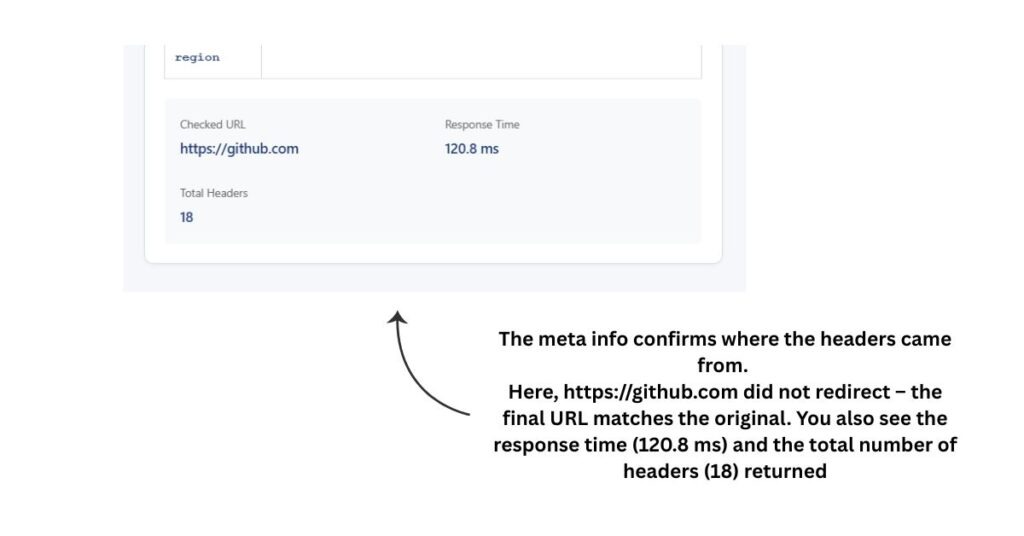
Look at the “Final URL” – if it differs from what you typed, your site redirected. The grade and headers apply to that final destination.
Step 8.
After making changes to your server or hosting configuration, scan the URL again to confirm your updates are live.
Why Security Headers Matter
Security headers are a server’s first line of defence against common web attacks. When properly configured they protect your visitors from clickjacking, cross‑site scripting, MIME sniffing, and session hijacking.
Search engines also factor site security into rankings. Google has confirmed that HTTPS is a ranking signal, and a properly secured site builds more trust with both users and crawlers.
The Content‑Security‑Policy header alone can block entire categories of injection attacks. The Strict‑Transport‑Security header ensures browsers never use an insecure connection to your site after the first visit. These headers take minutes to configure but can prevent serious security incidents.
To achieve the highest grade (A+), your site must send all six security headers, be served over HTTPS, and have a Content‑Security‑Policy that does not use unsafe-inline or unsafe-eval – these weaken protection against XSS.
Most shared hosting platforms and WordPress setups ship without these headers enabled by default. That means most sites are missing basic protections without knowing it.
Frequently Asked Questions
What is an HTTP headers checker?
It is a tool that sends a request to a URL and displays all the HTTP headers returned in the server response. It helps you see how your server is configured and whether important security headers are present.
Why should I check my website’s HTTP headers?
Missing security headers leave your site open to common attacks. Wrong cache headers slow down your pages. Incorrect redirect headers confuse search engines. Checking headers helps you catch these problems before they affect your users or rankings.
What security headers does this tool check?
The tool checks six scored headers: Strict‑Transport‑Security (HSTS), Content‑Security‑Policy (CSP), X‑Content‑Type‑Options, X‑Frame‑Options, Referrer‑Policy, and Permissions‑Policy. It also shows X‑XSS‑Protection for informational purposes, but that header is deprecated and does not affect your grade.
What does the security grade mean?
The grade reflects how many of the six scored security headers your site has. An A+ means all six are present, the site is served over HTTPS, and the CSP is strict (no unsafe-inline/unsafe-eval). An A means all six are present but either the site is not HTTPS or the CSP is weak. Grades B through F correspond to fewer headers present – just like on securityheaders.com.
Why is the final URL different from what I typed?
Many websites redirect visitors – for example, google.com redirects to www.google.com or a country‑specific version. This tool follows those redirects and shows you the final URL so you always see the headers of the page a real visitor would reach. Your grade and analysis are based on that final destination.
Can I check any website with this tool?
Yes. You can scan any publicly accessible URL. You can check your own site, a competitor’s site, or any other website on the internet.
How often should I check my headers?
Check whenever you make server changes, switch hosting, install or remove plugins, or update your theme. A monthly check is a good habit for active websites.
Do HTTP headers affect SEO?
Yes. Headers affect page speed through caching, prevent duplicate content issues through canonical signals, and communicate page status through response codes. Properly configured headers support better crawling and indexing by search engines.
My site got an F grade. What do I do?
Start with the headers marked high importance in red. Add them through your hosting control panel, .htaccess file, or a WordPress security plugin. After making changes, scan again to confirm the headers are now showing correctly. Remember that the tool follows redirects, so if your site redirects, you must configure headers on the final destination.
What is the difference between a 301 and 302 redirect?
A 301 redirect signals a permanent move. Search engines transfer ranking signals to the new URL. A 302 redirect signals a temporary move. Search engines keep the original URL indexed and do not pass rankings to the new one.
Does the tool store or log any data?
No. The tool fetches headers in real time and displays them directly to you. Nothing is stored or logged.
Disclaimer: Results from this tool are provided for informational purposes only. While we strive for accuracy, we cannot guarantee that every result is complete or error-free. Always verify important findings using additional methods before making security, technical, or business decisions.
More Website Security & Analysis Tools
Check SSL certificate validity, issuer, expiry date and HTTPS configuration.
Trace URL redirects and identify redirect chains.
Check HTTP response codes returned by any webpage.
Review title, meta description and other HTML meta tags.
Validate Content Security Policy directives and configuration.