
Every server, website, or application communicates through ports. If the right port is closed, your service won’t work. If the wrong port is open, your server could be at risk.
This free open port checker tool lets you check any port on any server in seconds. No signup or installation is needed. Just enter a host and port, and get an instant result.
Enter Host & Port to Check Instantly
Enter a domain or IP address and select a port to instantly see if it's open or closed.
Common Ports
Click any port to check instantly
Web & Security
Email Services
File Transfer
Remote Access
Databases
Other Services
Checks all 20 ports listed above
What This Port Checker Tool Does
The Open Port Checker tests whether a specific port on a server or IP address is open or closed. It sends a connection request to that port and tells you the result right away.
You can check one port at a time or scan all 20 common ports at once. Results show up on the same page, clearly marked as open or closed.
It works for any publicly accessible server, domain, or IP address.
Features
- Check any port from 1 to 65535
- Instant results, no page reload
- One-click check for 20 common ports
- Scan all common ports at once with a progress bar
- Works on desktop and mobile
- Free to use, no account needed
- Color-coded results for quick reading
How to Use the Tool
Step 1.
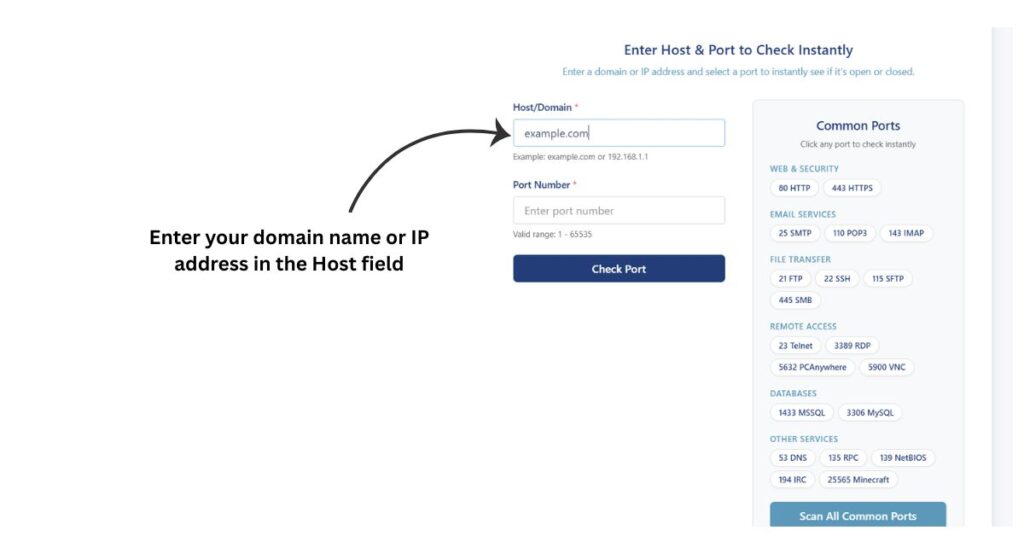
Enter your domain name or IP address in the Host field. For example, type example.com or 192.168.1.1.
Step 2.
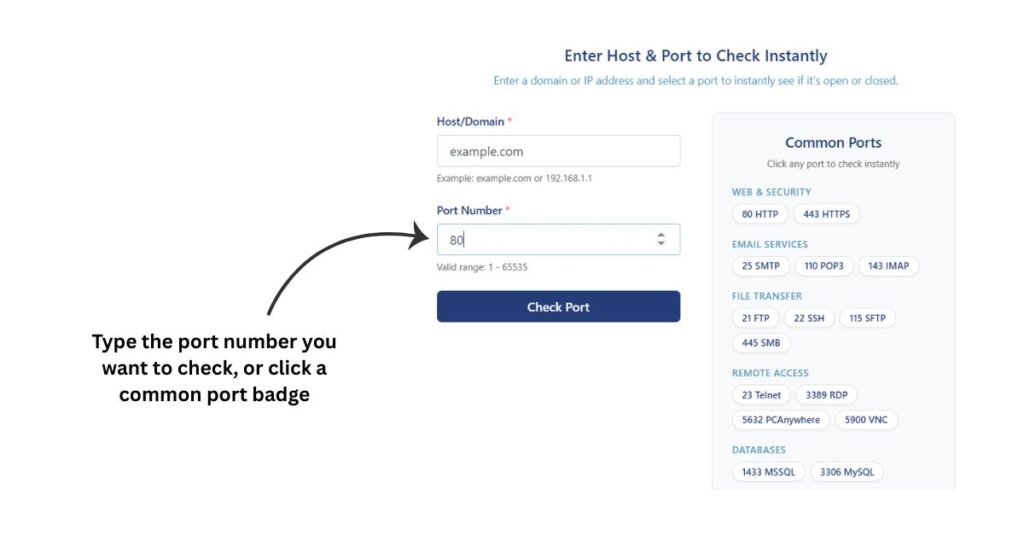
Enter the port number you want to check, or click any port badge from the Common Ports panel on the right.
Step 3.
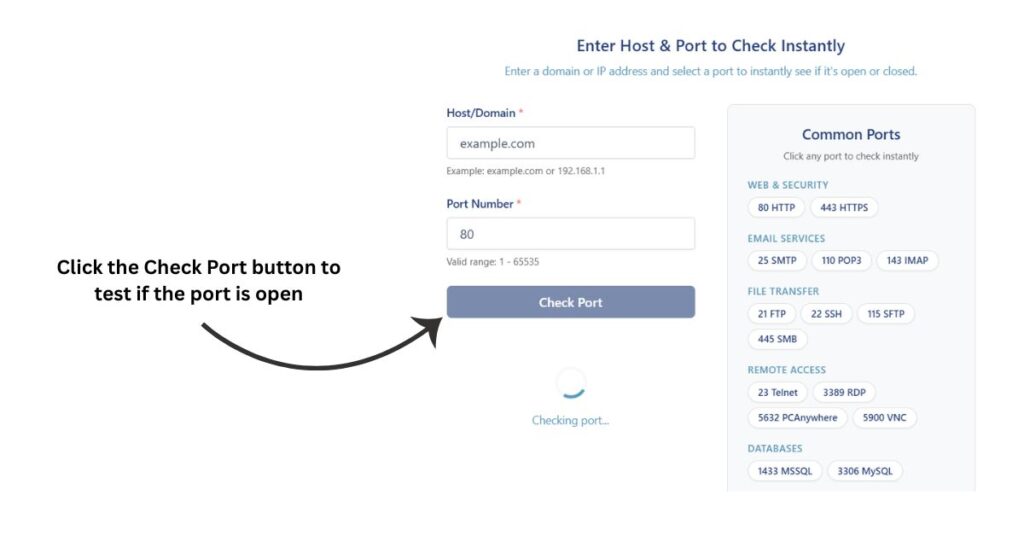
Click the Check Port button.
Step 4.
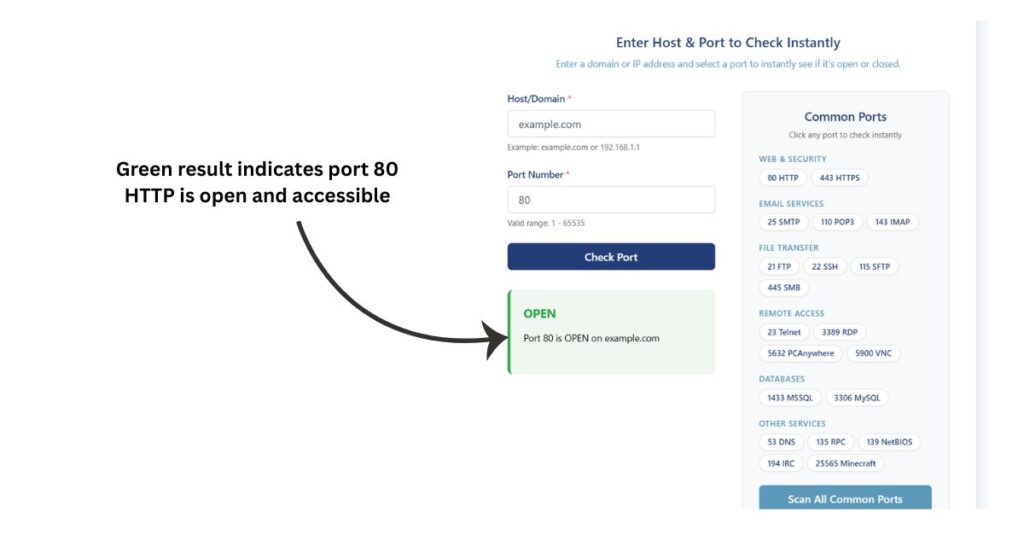
The result appears right below. A green result means the port is open. A red result means the port is closed or unreachable.
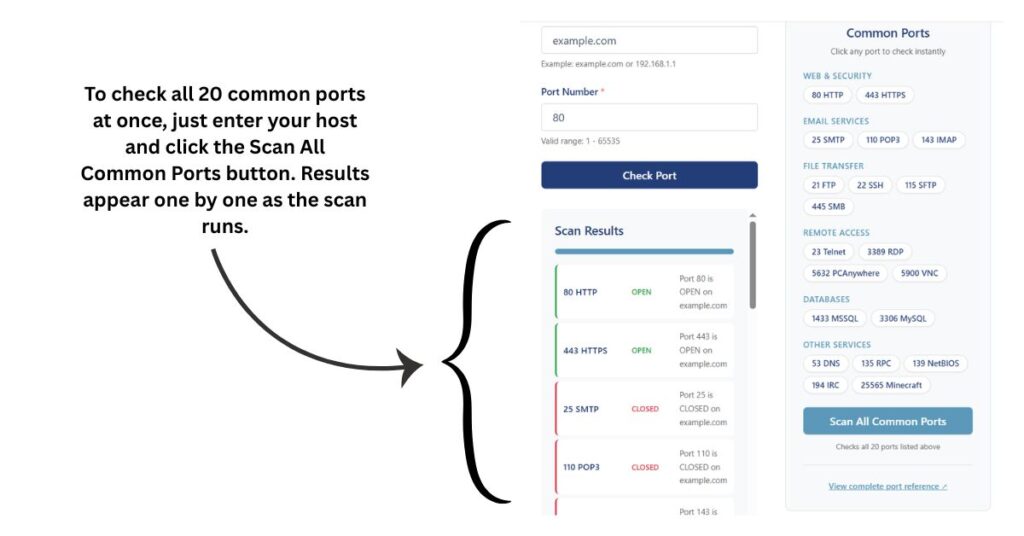
To check all 20 common ports at once, just enter your host and click the Scan All Common Ports button. Results appear one by one as the scan runs.
Common Ports and What They Mean
Ports are numbered virtual channels. Each one is associated with a specific service or protocol. Understanding them helps you manage your server properly.
According to the Internet Assigned Numbers Authority (IANA), ports from 0 to 1023 are called well-known ports and are reserved for standard services. You can also refer to the full list of TCP and UDP port numbers on Wikipedia for a complete reference.
Here are the most commonly used ports and what they do:
| Port | Service | What It Does |
|---|---|---|
| 21 | FTP | Moves files between computers on a network |
| 22 | SSH | Secure remote logins and command-line access |
| 23 | TELNET | Not secure, lets you connect to remote computers’ command line |
| 25 | SMTP | Sends email between servers |
| 53 | DNS | Turns web addresses into IP addresses |
| 80 | HTTP | Regular web traffic |
| 110 | POP3 | Gets email from mail servers |
| 115 | SFTP | Transfers files securely (older usage) |
| 135 | RPC | Lets programs run commands on a remote computer |
| 139 | NetBIOS | File and printer sharing on Windows networks |
| 143 | IMAP | Keeps emails on the server and lets you manage them |
| 194 | IRC | Internet chat messaging |
| 443 | SSL (HTTPS) | Secure web traffic |
| 445 | SMB | Windows file and printer sharing |
| 1433 | MSSQL | Microsoft SQL database service |
| 3306 | MySQL | MySQL database service |
| 3389 | Remote Desktop | Connects to Windows computers visually, not just command line |
| 5632 | PCAnywhere | Remote desktop and control tool |
Frequently Asked Questions
What does it mean when a port is open?
An open port means a service is actively listening on that port and accepting connections. For example, if port 443 is open, your website is accessible over HTTPS.
What does it mean when a port is closed?
A closed port means either no service is running on that port or a firewall is blocking access to it. This is normal for ports you are not using.
Why is my port showing closed even though my service is running?
This usually happens because of a firewall rule blocking inbound traffic on that port. Check your server firewall settings and your hosting provider’s firewall or security group rules.
Is it safe to have many ports open?
No. Every open port is a potential entry point. You should only keep ports open that your services actively need. Close everything else.
Can I check ports on any server with this tool?
You can check any publicly accessible server or IP address. The tool cannot check ports on private or local network addresses like 192.168.x.x since those are not reachable from the internet.
What is the difference between TCP and UDP ports?
TCP (Transmission Control Protocol) is connection-based and ensures data is delivered correctly. UDP (User Datagram Protocol) is faster but does not guarantee delivery. Most services you interact with daily use TCP ports.
How many ports does a server have?
A server has 65535 ports available. Ports 0 to 1023 are reserved for standard services. Ports 1024 to 49151 are registered for applications. Ports 49152 to 65535 are dynamic or private ports.
Does this tool work for checking game server ports?
Yes. For example, you can check if port 25565 is open to verify whether a Minecraft server is accessible publicly.
How is this different from running a port scan locally?
When you scan from your own machine, you see how ports look from inside your network. This tool scans from an external server, so you see exactly how your server looks to the rest of the internet.
Is this tool free?
Yes, completely free. No account, no subscription, no limits.
For deeper reading on web server security, the OWASP Foundation publishes free and regularly updated guides that are widely trusted by security professionals worldwide.
Disclaimer: Results from this tool are provided for informational purposes only. While we strive for accuracy, we cannot guarantee that every result is complete or error-free. Always verify important findings using additional methods before making security, technical, or business decisions.
More Website Security & Analysis Tools
Check SSL certificate validity, issuer, expiry date and HTTPS configuration.
Find the TLS version supported by a website’s server.
View DNS records including A, MX, TXT, NS and CNAME.
Find the hostname associated with an IP address.
Discover your public IP address and basic network details.
Check whether an IP address appears on common blacklists.